
Free
For owners with up to 6 rentals.
$0/month
- Up to 6 managed units
- 1 staff user
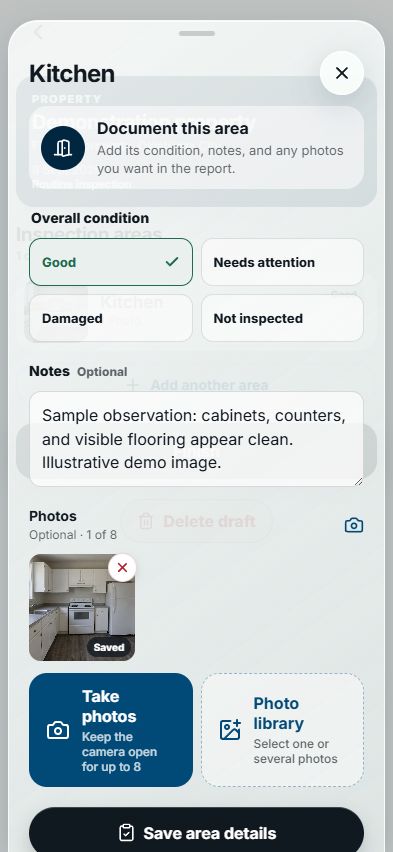
- Room-by-room condition, notes, and photos
- PDF inspection reports
An ongoing Free plan, not a trial.
Property inspection software
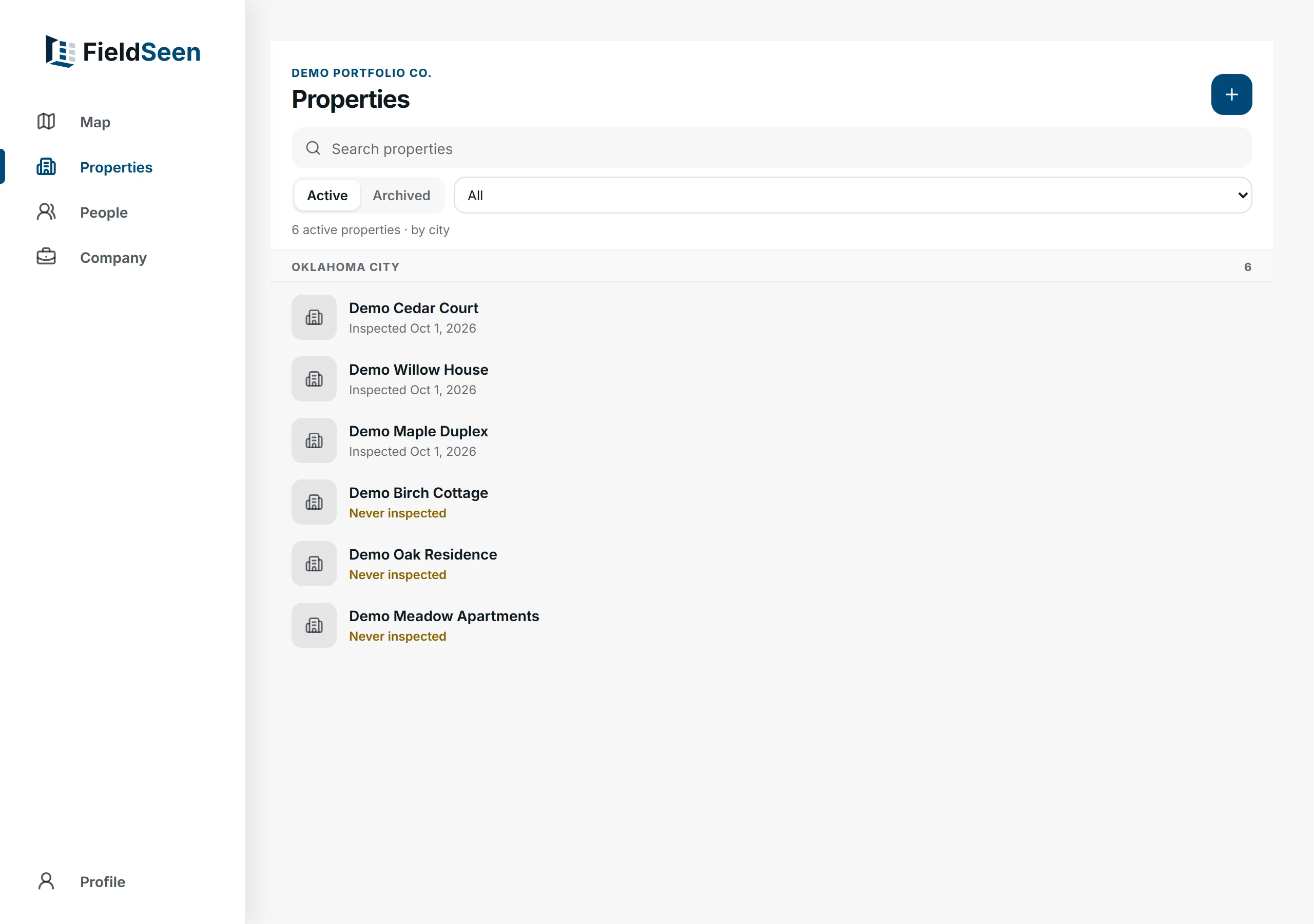
Document every room with photos and notes. Send a clean PDF report. Works on your computer and phone.
Free for up to 6 units · No credit card
Why it matters
Instead of: Photos buried in someone’s camera roll
Every photo filed under the right property, unit, and room
Instead of: Notes written up from memory later
Condition and notes recorded while you’re standing in the room
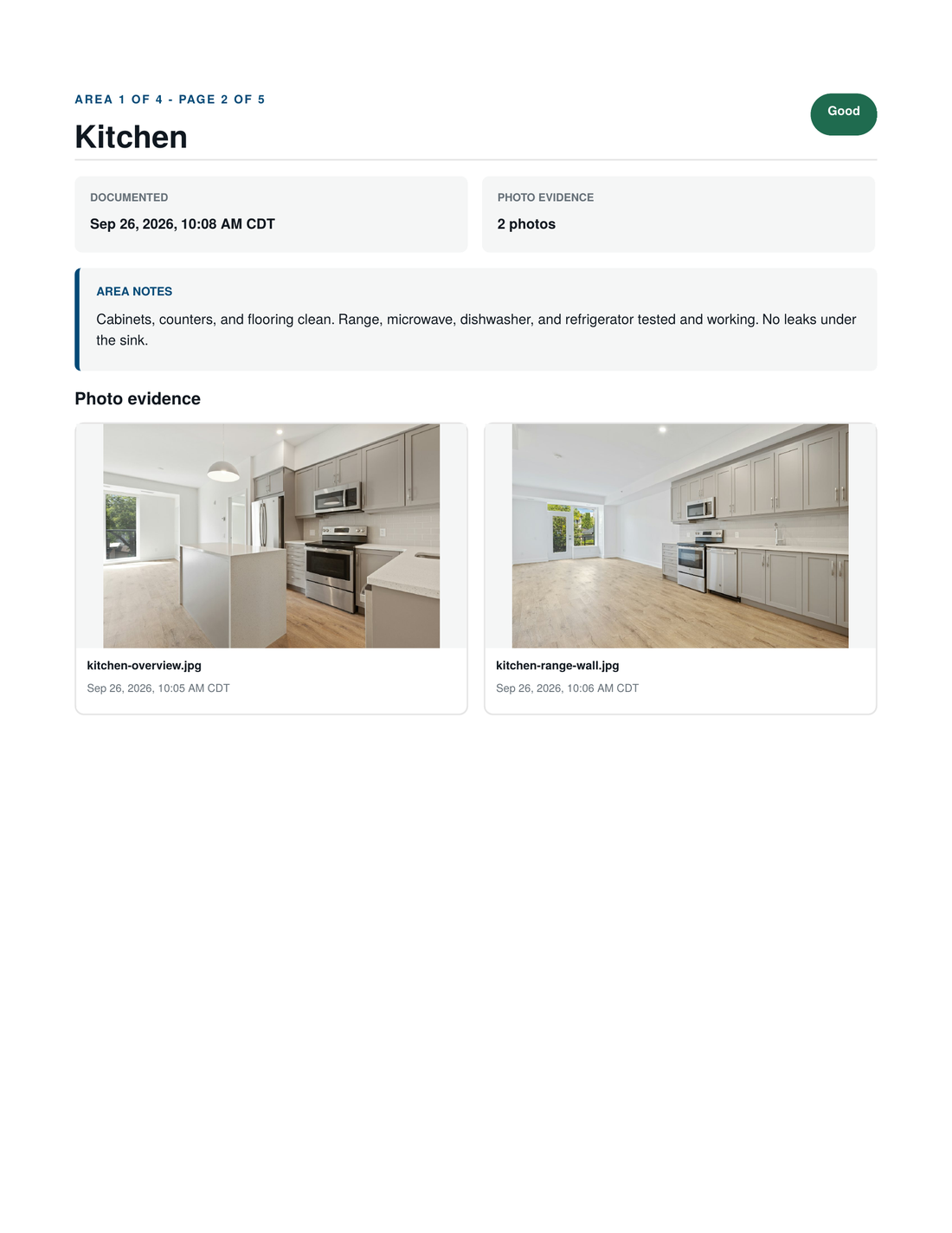
Instead of: Reports rebuilt by hand in a document
A finished PDF the moment the inspection is done
The finished result
The property and unit, who prepared it, and every room’s condition, notes, and timestamped photos, in one clean PDF.
An organized record, not legal advice.
PDF · 5 pages · No signupAccessible HTML version
How it works
Pick the property or unit and choose move-in, routine, or move-out.
Mark the condition, add notes, and take photos as you walk through.
Complete the visit and export a professional PDF. It stays in the unit’s history.
Founding customer program
FieldSeen is new, and we’re inviting landlords and property managers to try it on their real inspections, with hands-on help from the founder. Open through December 31, 2026.
Pricing
One monthly price based on the units you manage. Cancel anytime.
For owners with up to 6 rentals.
$0/month
An ongoing Free plan, not a trial.
Founding customers: 3 months free
For property managers and landlords with 7 or more units.
From$19/month
$39/month for Professional
| Units | Monthly rate |
|---|---|
| First 25 | $19 base |
| 26–100 | $0.80 per unit |
| 101–250 | $0.60 per unit |
| 251–500 | $0.45 per unit |
| 501–1,000 | $0.25 per unit |
| 1,001–2,000 | $0.20 per unit |
| Above 2,000 | Custom quote |
Each rate applies only to units within its band. For example, 100 units cost $79/month; 1,000 cost $406.50/month. A house counts as one unit and a duplex as two.
Founding offer open through December 31, 2026. Details

Built in Oklahoma City
Before software, I spent four years as a property manager. I managed a mix of properties and did my own inspections, and I always felt there had to be a better way to get them done. I eventually left property management to become a software engineer, and FieldSeen is the tool I wish I’d had back then.
I build and support FieldSeen myself, here in Oklahoma City. Book a walkthrough and you’ll talk with me directly about your portfolio, how you inspect today, and whether FieldSeen is a fit. Founding customers get the same direct line.
Eduardo MartinezFounder, FieldSeen LLC
Yes. Create an account and start inspecting right away. Every new account starts with 3 months of Professional free through the founding customer program, open through December 31, 2026. Free covers up to 6 units for as long as you like.
Nothing is charged automatically, and we never ask for a card. We’ll email you a week before your free months end. To keep Professional, subscribe at the regular price for your unit count, starting at $19/month for your first 25 units, and cancel anytime. If you don’t, your properties, inspections, and reports stay just as they are, and with 6 units or fewer you simply continue on the Free plan.
Residential landlords and property managers who perform or supervise move-in, routine, and move-out inspections. Free suits owners with up to 6 rentals; Professional fits growing portfolios, especially around 10–150 units. We are starting with Oklahoma City and nearby markets.
FieldSeen gives you an organized, dated record of each room’s condition, notes, photos, and who prepared it, in a clear PDF. The inspector can sign the inspection, and the tenant can sign to confirm they received the report; a tenant’s signature does not mean they agree with every item. It is not legal advice and cannot guarantee an outcome.
Staff can continue a prepared inspection offline, with changes saved on the device and retried when connectivity returns. Starting an inspection, syncing the completed record, and generating its report require a connection.
Open any two inspections of the same unit and review them room by room, with notes and photos side by side. Only room names and order carry forward when you reuse a room list; every visit captures fresh condition, notes, and photos. Comparison is read-only and requires a connection, and FieldSeen does not automatically detect changes.
Company workspaces support a shared portfolio, staff invitations, and owner, admin, and employee roles, and every record shows who prepared it. The workspace owner can remove a teammate at any time. Assigning inspections to a specific person is not currently supported.
Book a walkthrough
Have 6 rentals or fewer? Start free — no walkthrough needed.